
Free shipping
On orders over €99
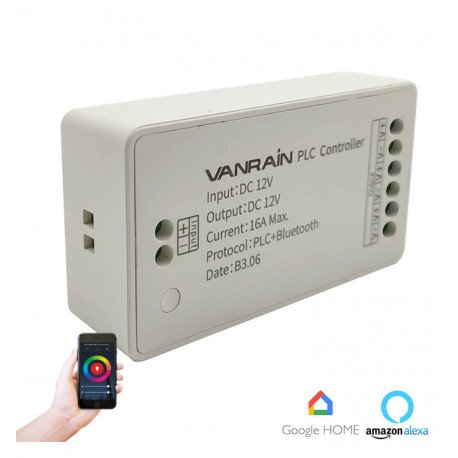
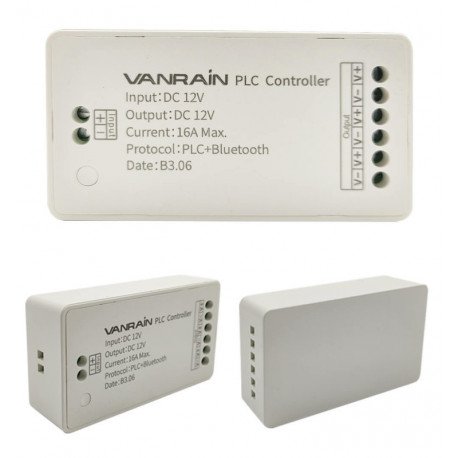
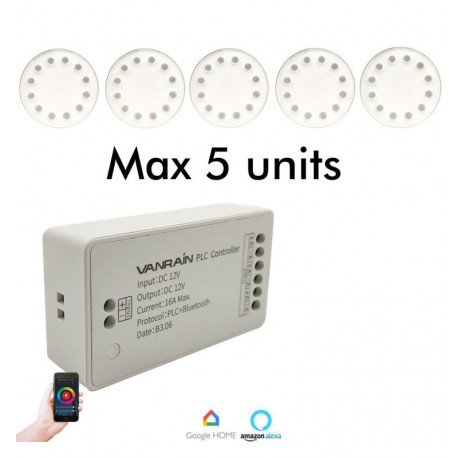
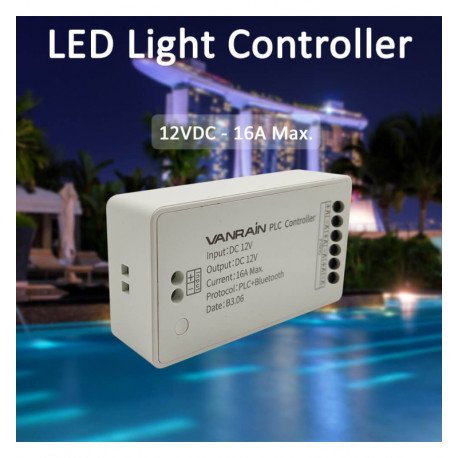
LED Pool Bulb PAR56 TUYA Controller for up to 5 Lights
LED-00562
Certificates
CE - ROHS
Construction Material
Thermoplastic
Dimensions (mm)
25x47x85 mm
Rated Power
12V: 144W - 24V-288W
New product
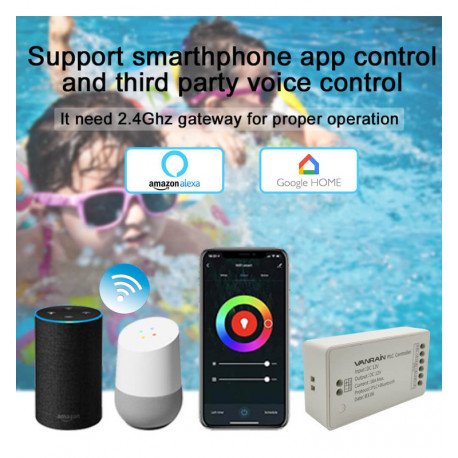
This TUYA-enabled controller is designed for LED pool bulbs in a PAR56 format, supporting control of up to 5 lights simultaneously. Compatible with remote control and TUYA app for smart home integration with Google Home and Alexa. Note: amplifiers are not supported, multiple controllers recommended for larger setups.
642 Items

More info
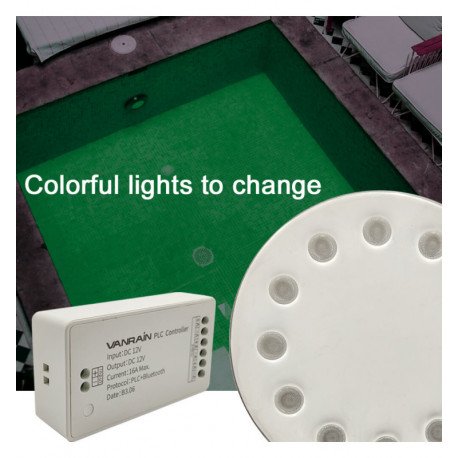
PAR56 TUYA controller for a steel pool bulb (PAR56). Designed for use with both our remote control and the TUYA app for Google Home and Alexa.
Features:
- One controller can operate up to 5 luminaires at the same time.
- This luminaire + controller set does not support the use of amplifiers.
- If you need more than 5 luminaires, install additional controllers and distribute the luminaires (up to 5 per controller).
- If you install more than one controller, it is recommended to use a separate power supply for each controller.
- The same remote can manage more than one controller.
- One controller can be controlled by more than one remote.
Connect and control your PAR56 pool lighting easily with remote control and smart app control.
Compatibility and Installation Considerations
The controller is specifically designed for steel pool bulbs with the PAR56 specification. When expanding your pool lighting system beyond five lights, it is necessary to install separate controllers, each managing up to five luminaires. Amplifiers cannot be used with this controller, so distribution of luminaires must be planned accordingly. For setups with multiple controllers, providing a dedicated power supply per controller helps maintain stable operation.
Control Flexibility
This system offers flexible control options where one remote can operate multiple controllers, and a single controller can be managed by several remotes. This feature provides convenience in managing pool lighting across larger installations without the need for complex setups.
Frequently Asked Questions
Can I use this controller with pool bulbs other than PAR56 steel types?
This controller is designed specifically for steel pool bulbs in the PAR56 format, so compatibility with other bulb types is not guaranteed.
Is it possible to connect more than five lights to a single controller?
No, each controller supports up to five luminaires. To control more than five lights, you must use additional controllers, each with its own power supply.
Can amplifiers be used to expand the number of lights per controller?
No, this controller does not support the use of amplifiers. Light distribution must be managed through multiple controllers for larger setups.
View technical specifications Hide technical specifications
Certificates
CE - ROHS
IP Rating
IP20
Construction Material
Thermoplastic
Warranty years
3
Dimensions (mm)
25x47x85 mm
Rated Power
12V: 144W - 24V-288W
Rated Voltage
DC 12V
Operating Frequency (Hz)
2.4Ghz
Range (m)
30m
Controllers for RGB, RGBW, CCT and single-colour LED strips
LED strip controllers make it possible to switch a lighting installation on and off, adjust its brightness and configure its operation. Depending on the strip type, they can also change the colour temperature, select colours and create dynamic effects or transitions.
At DomiLED you will find controllers for LED strip lights designed for single-colour, CCT, RGB, RGBW and RGB+CCT systems. Before selecting a model, check the operating voltage, number of channels and total connected power.
Which controller does each LED strip require?
- Single-colour controller: adjusts the brightness of a strip with one fixed colour, such as warm, neutral or cool white, red, green or blue.
- CCT controller: mixes two white channels to adjust the light from warm white to cool white.
- RGB controller: manages the red, green and blue channels to create different colours and lighting effects.
- RGBW controller: controls the three RGB channels and an independent white channel for both coloured effects and practical white illumination.
- RGB+CCT controller: manages RGB together with warm and cool white channels in compatible installations.
The controller must match the type of LED strip. An RGB controller cannot correctly manage an RGBW or CCT strip because the number of channels and electrical connections is different.
Voltage, current and maximum power
The controller must support the operating voltage of the LED strip, such as 12V or 24V DC. Never use a controller or strip with an incompatible voltage.
Check the maximum current per channel and the total supported power. Calculate the load by multiplying the strip’s consumption per metre by the installed length. The result must remain below the controller’s maximum capacity, with an appropriate safety margin.
If the installation exceeds the supported load, it may need to be divided between several controllers or expanded with a compatible signal amplifier. Overloading the device can cause malfunction, overheating or damage.
Remote, wall and smart control
Depending on the model, an LED strip can be managed through a remote control, wall panel, push button, mobile application or automation system. Radio-frequency controls do not normally require a direct line of sight between the remote and receiver, while infrared systems generally do.
Wi-Fi, Bluetooth and smart-system controllers may offer app control, schedules, scenes and additional functions. Before ordering, check the communication protocol and its compatibility with the remote, gateway or control platform.
Controllers for addressable LED strips
Addressable LED strips require a dedicated controller capable of sending data to the integrated circuit of each LED or LED group. They do not operate in the same way as conventional analogue RGB strips.
For these systems, the voltage, chip type, data signal and controller configuration must all be compatible. Incorrect connections may prevent operation or damage the electronic components.
How to connect an LED strip controller
In a conventional installation, the power supply is connected to the controller input and the LED strip to its output channels. Observe the polarity, identify each channel correctly and complete all wiring with the electrical supply disconnected.
Use cables with a suitable cross-section for the current and distance. Long runs may require additional power injection points to prevent voltage drop and visible differences in brightness or colour.
Explore our selection of LED strip controllers, remote controls, receivers, dimmers and signal amplifiers and find the correct system for adjusting brightness, colours and lighting effects.
Guaranteed returns
14 days to return your purchase
Technical advice
We help you choose the right lighting
Secure payment
Your data and payments are protected